
Binary Ninja Enterprise 2.0 is here, and it’s a free upgrade for all active customers! While we plan on supporting the current Enterprise 1.2.x branch for our next few Binary Ninja releases to give customers time to migrate, Enterprise 2.0 already comes with a significant upside: An on-premises version of our new WARP service. To get started, customers with active support can find the server installers in the customer portal, or have them sent via email using the license recovery system. (Note: A v1.x manage_server will not update itself directly to v2.0. We wanted to make sure your current servers wouldn’t update unexpectedly.)
Highlights
If you just want the highlights, here they are:
- An on-prem WARP service is now included at no extra charge for current and future Enterprise customers.
- API updates in v2.0 allow new client features like searching for files across projects, with more features on the way.
- Rootless Podman deployments on RHEL now have first-class support.
- Major infrastructure refresh should make deployment and maintenance easier.
- All dependencies and containers have been updated to their latest versions.
WARP: On-Prem
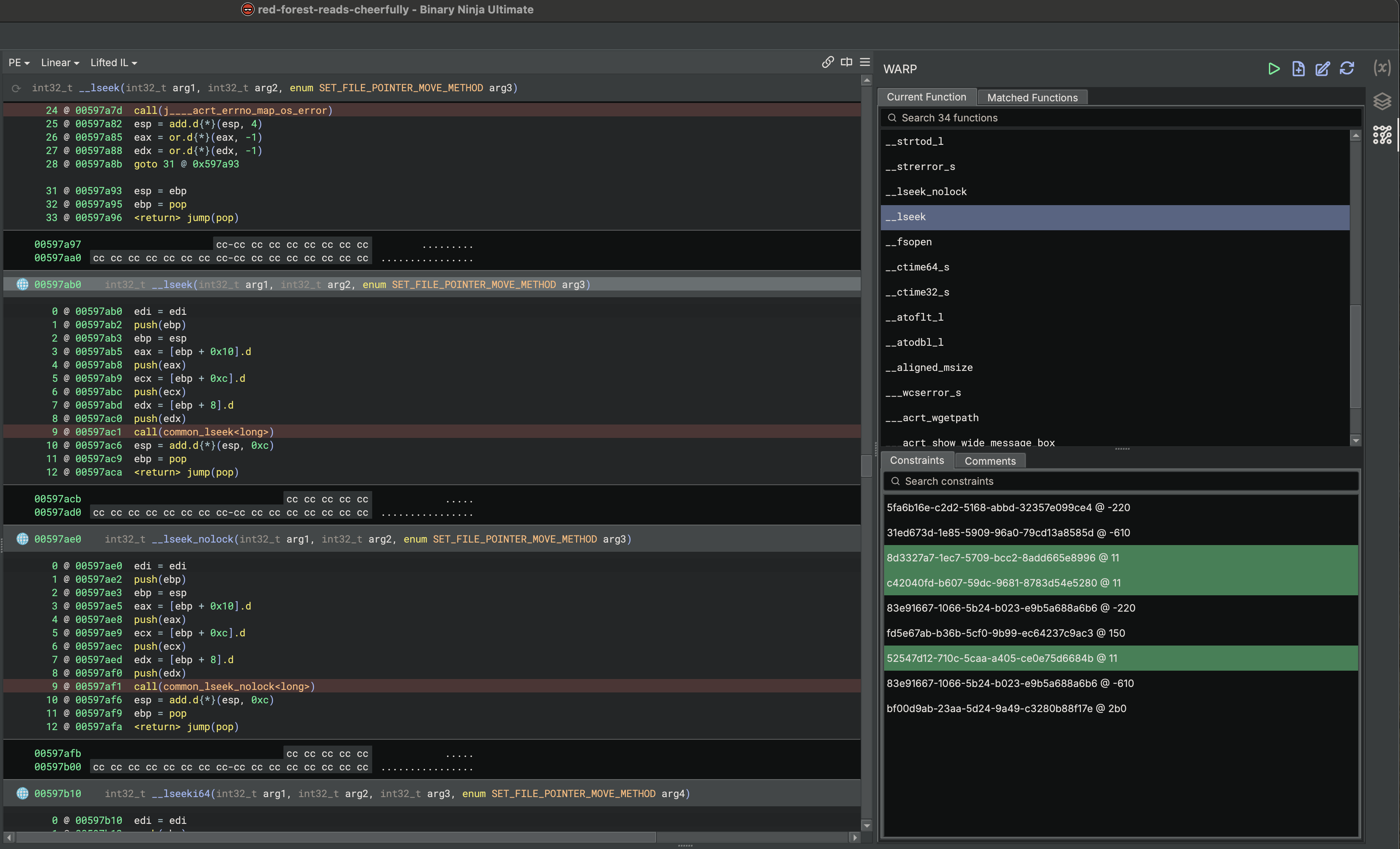
Since Binary Ninja 4.2, we’ve been talking a lot about WARP, our new function identification solution. See the WARP deep dive for more details on what WARP does, and the Binary Ninja 5.2 release notes where we mentioned the release of the public service. Enterprise 2.0 brings that service fully on-prem.
The Enterprise server now acts as an OAuth2 provider, so downstream services (like WARP) can trust it directly. The Enterprise service stack now, by default, deploys a copy of the WARP server and configures OAuth2 between Enterprise and WARP. This means your Enterprise server account is also your WARP server account. After generating an API key and configuring WARP inside Binary Ninja, you’ll have the same signature matching functionality, but in your own network.
Server Deployment
This release also completely changes the way the Enterprise server is deployed. Previously, if you made modifications to the base installation, you had to pass those options as CLI flags to every command that needed them. Now, manage_server install writes a config.env file alongside the generated docker-compose.yml file that captures any non-default options you set. If you ever need to see all options, the new manage_server env command will print them all out for you (and can be piped to a file if you’d like).
This change also means that the update command is no longer aliased to the install command. You will install once, then update afterward. Some customers have wanted a better way to check for updates as well, so we’ve added an --only-update-self option that will only update manage_server as a stop-gap on our way to providing a better experience through our customer portal.
Client Installers
One final change to be aware of is that we no longer include the client installers inside the server image. This has the added benefits of:
- Updated images are now significantly smaller, making updates faster to perform (the client installers were larger than the entire server image).
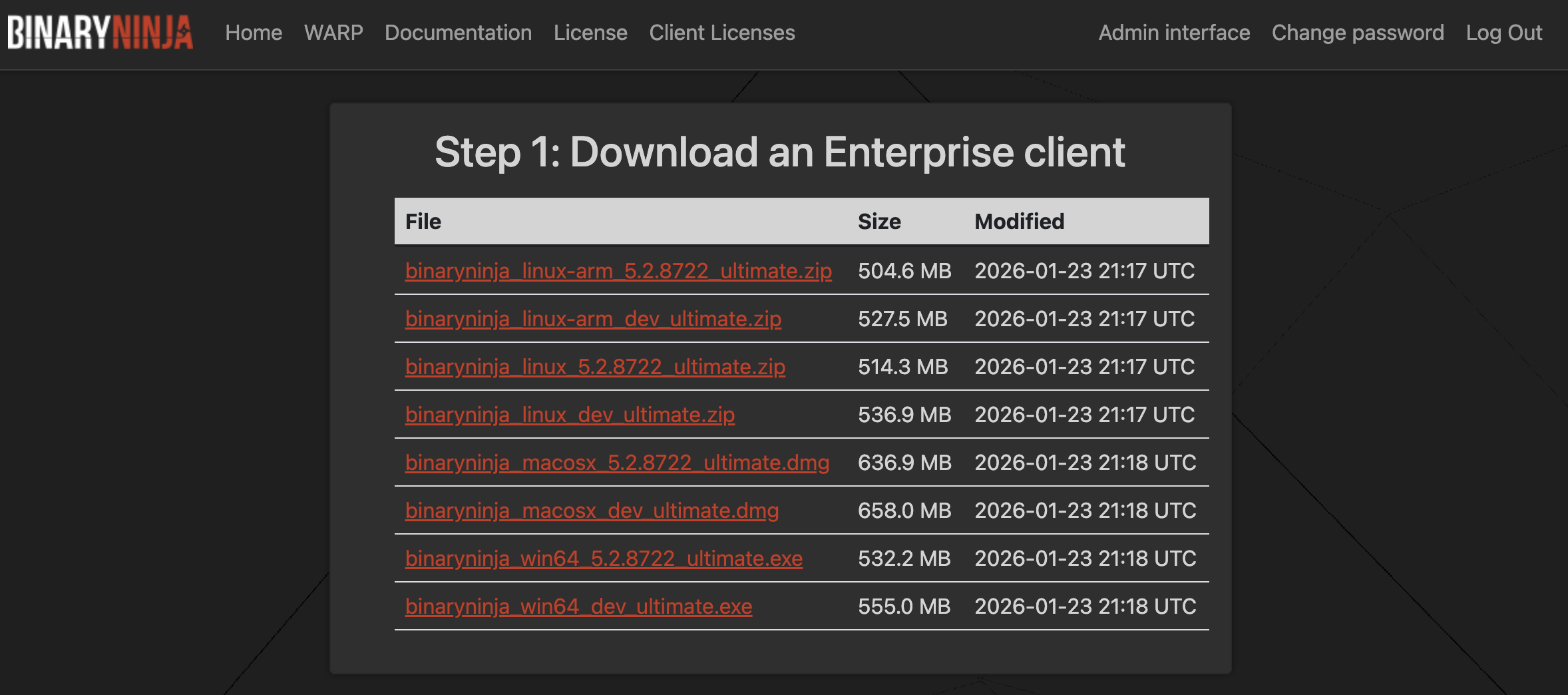
- Server admins can now choose which installers they want to provide and can have multiple different versions of installers available for download (even dev builds!).
Server admins will need to upload client installers themselves. To support this, we have updated the customer portal so that anyone with an Enterprise server can also download Binary Ninja Ultimate stable and dev installers.
Upgrade Path
Due to the abundance of changes in this release, upgrading from Enterprise 1.x to 2.0 requires a full backup and restore of server data. We understand this might be painful for some customers, so we’re committed to supporting Enterprise 1.x for the next couple of releases of Binary Ninja to give time for upgrades to happen. You can also run Enterprise 1.x and 2.0 side-by-side, as long as some of their deployment details (like the port number) are different.
Please see our updated documentation for more details on how to upgrade your server.
To prevent accidental, undesired upgrades, you must manually download the new manage_server binary for Enterprise 2.0 from the customer portal to perform the upgrade. An existing 1.x manage_server binary is not capable of performing the upgrade by itself.
Get Started Today!
If you are an existing Binary Ninja Enteprise customer, grab the Enterprise 2.0 package and installers from the customer portal or via license recovery. This update is available at no extra charge to all active Enterprise customers.
If you aren’t a current Binary Ninja Enterprise customer, now is a fantastic time to become one! Please see the features page for more information and contact us to schedule a demo or obtain a quote. We’d love to have you on board!
And, finally, regardless of whether you’re a customer or not, please don’t hesitate to contact us:
- Enterprise-specific questions and issues should be directed to
[email protected]. - Technical support questions can be directed to
[email protected]. - And, if you’re truly not sure,
[email protected]will get you going to the right place.